
CesiumJS label 遮挡?3种情况+解决方案全在这里
写在前面
CesiumJS 项目中,label 压盖是个常见问题。但很多人不知道的是,压盖其实分三种情况:聚合压盖、地形压盖、线段压盖。每种情况的成因不同,解决方案也不同。今天把解决方案系统整理出来,建议收藏。
一、聚合压盖:多个标注挤在一起
问题表现
当标注点过于密集时,文字全部堆叠在一起,根本分不清谁是谁。比如智慧城市几千个建筑标注,缩放到城市级别时全部重叠。
解决方案:聚类(Clustering)
这是 CesiumJS 内置功能,当标注过于密集时自动合并显示。
// 创建数据源
const dataSource = new Cesium.CustomDataSource('equipment');

// 添加设备点位
dataSource.entities.add({
    position: Cesium.Cartesian3.fromDegrees(116.4, 39.9, 10),
    name: '设备A',
    label: {
        text: '设备A',
        font: '14px sans-serif',
        fillColor: Cesium.Color.WHITE,
        outlineColor: Cesium.Color.BLACK,
        outlineWidth: 2,
        style: Cesium.LabelStyle.FILL_AND_OUTLINE
    }
});

// 启用聚类
dataSource.clustering.enabled = true;
dataSource.clustering.pixelRange = 15;      // 像素范围
dataSource.clustering.minimumClusterSize = 3;  // 最小聚类数量

// 自定义聚类样式
dataSource.clustering.clusterEvent.addEventListener(function(cluster, entity) {
    entity.label = {
        text: cluster.length + '个设备',
        font: '16px sans-serif',
        fillColor: Cesium.Color.WHITE,
        pixelOffset: new Cesium.Cartesian2(0, 0)
    };
    entity.point = {
        pixelSize: 10,
        color: Cesium.Color.ORANGE
    };
    entity.billboard = {
        image: '/images/cluster.png',
        scale: 1.0
    };
});

viewer.dataSources.add(dataSource);
效果:缩放地图时,密集点位自动合并为一个数字标注,点击展开。
适用场景:数据量大、需要概览展示的场景,如智慧城市、港口调度、电力线路巡检。
“一个好的 CesiumJS 应用,不是它能加载多少数据,而是它在有限的资源下呈现得多好。”
二、地形压盖标注:标注消失在山体里
问题表现
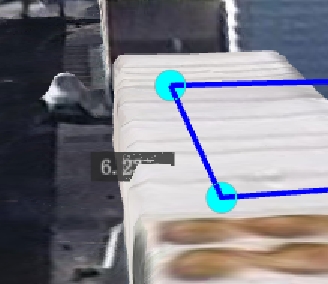
开启了地形(Terrain)后,标注突然消失或者半截藏在地形里。这是因为 depthTestAgainstTerrain 默认开启,地形会遮挡标注。
这是 CesiumJS 官方都头疼的问题(GitHub Issue #2694),至今没有完美解决方案。
解决方案
方案1:禁用深度测试(最常用)
// 全局禁用地形深度测试(不推荐,会影响3D模型)
viewer.scene.globe.depthTestAgainstTerrain = false;

// 推荐:针对单个 label 禁用深度测试
entity.label = {
    text: '设备A',
    disableDepthTestDistance: Number.POSITIVE_INFINITY,  // 始终显示在最上层
    heightReference: Cesium.HeightReference.CLAMP_TO_GROUND
};
disableDepthTestDistance 参数说明:
Number.POSITIVE_INFINITY:永远不参与深度测试,始终显示在最上层- 具体数值(如 5000):距离相机小于该值时不参与深度测试
// 智能深度测试:距离远时允许遮挡,近距离时始终显示
entity.label = {
    text: '设备A',
    disableDepthTestDistance: new Cesium.NearFarScalar(500, 0, 5000, Number.POSITIVE_INFINITY)
};
方案2:通过 position 设置高度
// 不使用 CLAMP_TO_GROUND,而是直接设置一个高于地面的固定高度
entity.label = {
    text: '设备A',
    position: Cesium.Cartesian3.fromDegrees(116.4, 39.9, 50),  // 距离地表 50 米
    // 这样标注不会贴地,而是悬浮在一定高度
};
注意:这种方式适合平坦区域,如果地形起伏大,固定高度可能仍然被遮挡。
三、线段压盖标注:标注被线遮挡
问题表现
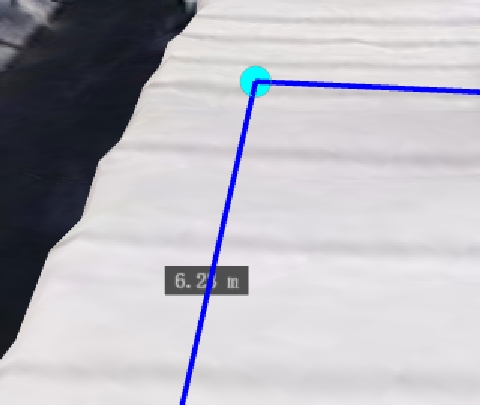
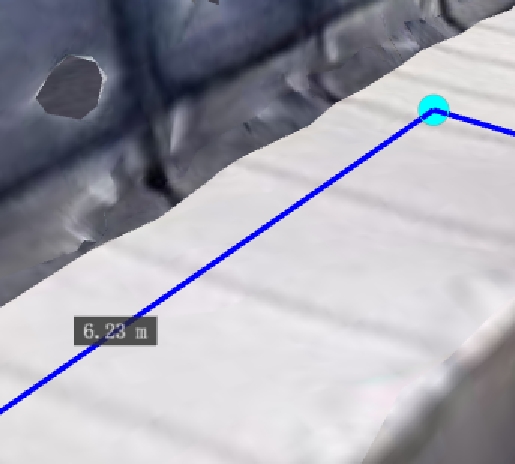
标注在多边形(Polygon)或折线(Polyline)附近时,被它们遮挡。这是 WebGL 渲染顺序的问题,后添加的 entity 会先渲染。
解决方案
使用 labelCollection 置顶显示
let labelCollection = new Cesium.LabelCollection();
scene.primitives.add(labelCollection);
scene.primitives.raiseToTop(labelCollection);

labelCollection.add({
  position: midpoint,
  text: `${distance.toFixed(2)} m`,
  font: "14px monospace",
  showBackground: true,
  horizontalOrigin: Cesium.HorizontalOrigin.CENTER,
  verticalOrigin: Cesium.VerticalOrigin.BOTTOM,
  pixelOffset: new Cesium.Cartesian2(0, 0),
  disableDepthTestDistance: Number.POSITIVE_INFINITY,
  eyeOffset: new Cesium.Cartesian3(0, 0, -1),
  fillColor: Cesium.Color.WHITE,
});
总结
- 聚合压盖:用聚类功能,自动合并密集点位
- 地形压盖:设置
disableDepthTestDistance,或关闭depthTestAgainstTerrain - 线段压盖:禁用深度测试 + 使用LabelCollection,调整添加顺序
推荐阅读
📮 联系我
如果你有 CesiumJS 项目开发需求,或者需要:
- 数据处理:GeoJSON、Shapefile、KML 等格式转换,坐标系统转换,模型转3dtiles
- 三维特效:粒子效果、动态标注、路径动画
- 性能优化:大规模数据加载、渲染优化
- 定制开发:行业可视化解决方案
欢迎联系,共同探讨解决方案。
